
09 · Create
Qurost SpacesPlan a room, label every drawer, brief your carpenter.
Draw your room, add furniture from a library of studio, shop and café pieces, and see it in 3D. Then print measured drawings and a shopping list for your carpenter, and QR labels for every drawer.
- Floor plans and inventory
- Millimetres or feet and inches
- CAD import and export
Designed and built by Himanshu Khagta at Qurost
A floor plan that checks itself
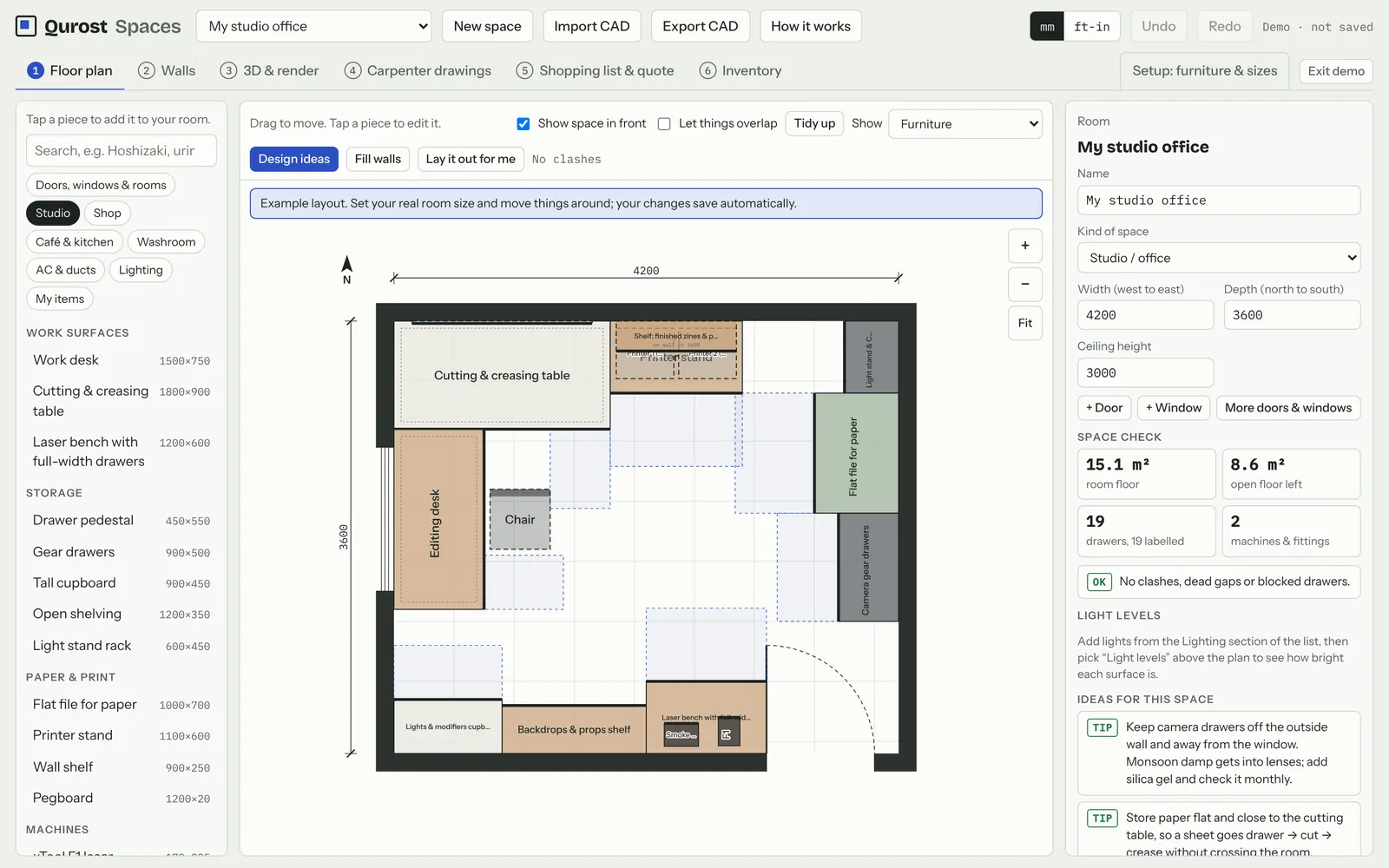
Set the room size, add doors and windows, and drag in work surfaces, storage and equipment. A space check warns about clashes, dead gaps and drawers that can’t open.
- Studio, shop, café, kitchen and washroom pieces
- Lighting levels for each surface
- Ideas for the space as you work
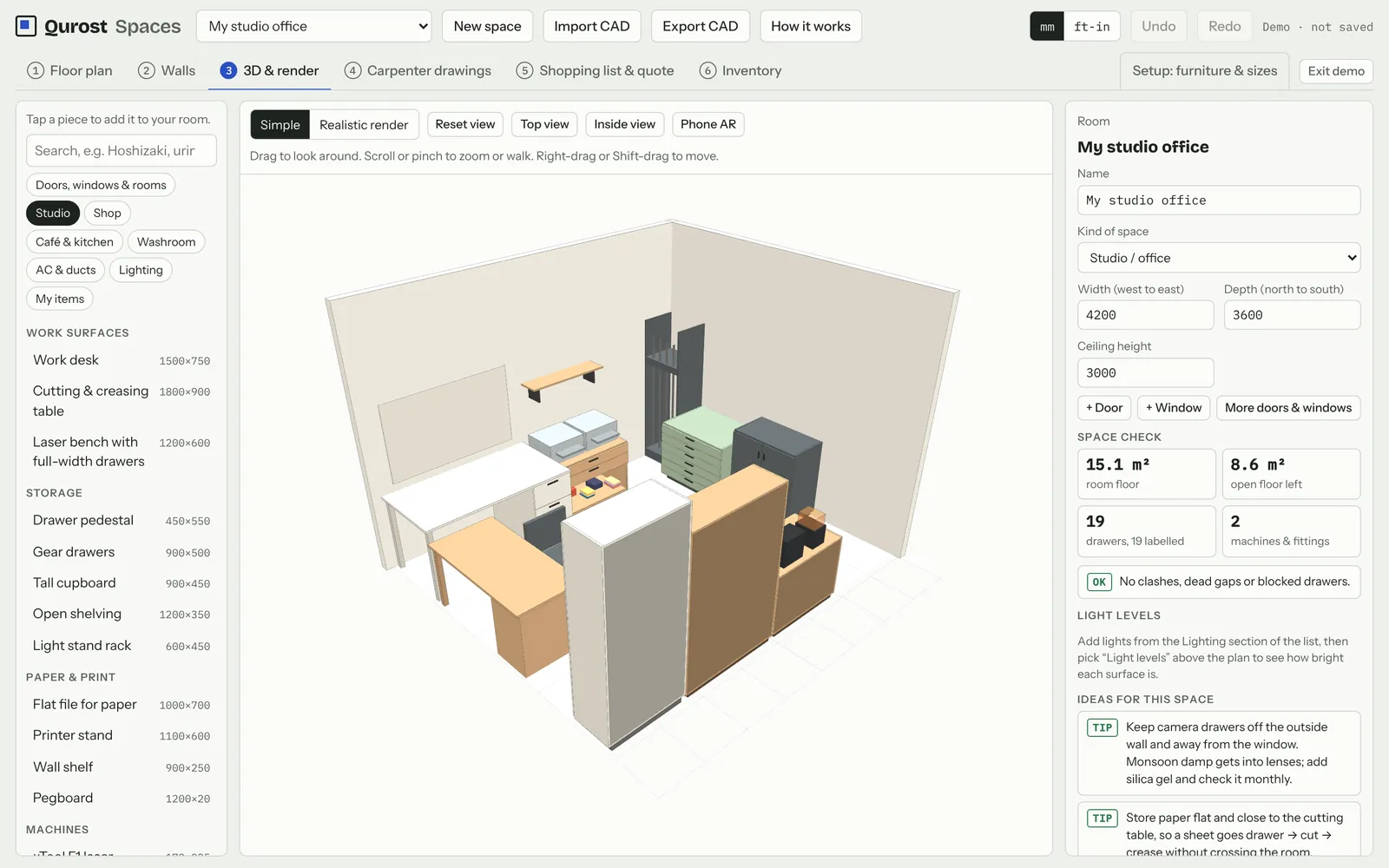
See it in 3D before anyone builds it
Walk around the room, look from the top or from inside, and render a realistic view to share.
- Simple and realistic renders
- Top and inside views
- Phone AR view
Know what is in every drawer
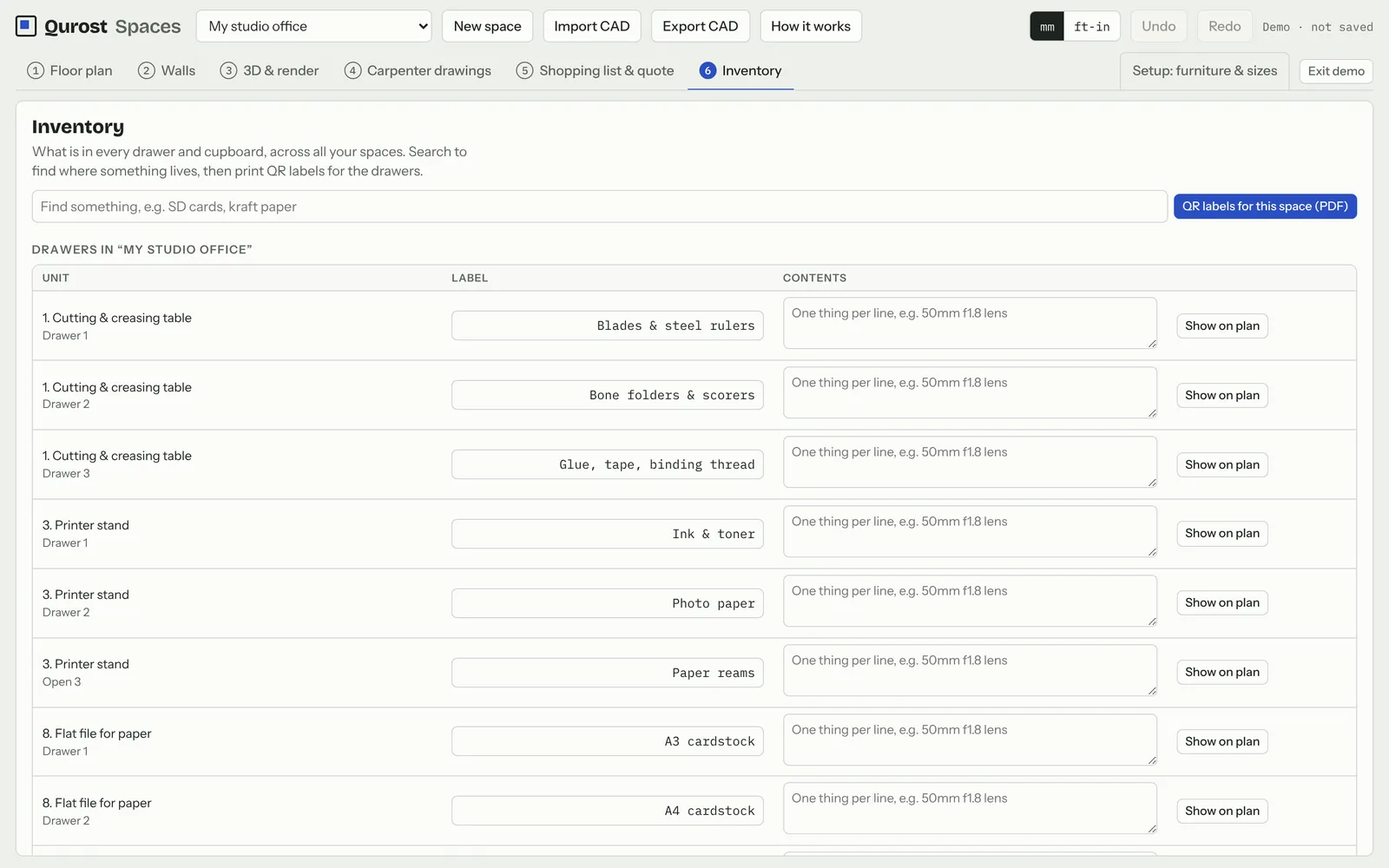
The inventory lists every drawer and cupboard across your spaces. Search for anything, then print QR labels that open the drawer’s contents on a phone.
- Search across every space
- QR labels as a PDF
- Carpenter drawings and a quote list
How it works
Three steps.
- 1
Measure the room
Walls, doors and windows.
- 2
Arrange the pieces
Drag furniture in and check the space.
- 3
Print for the carpenter
Drawings, shopping list and labels.
Good to know
- Units
- mm or ft-in
- CAD
- Import and export
- Saves
- In your browser, with backup files
- Access
- By invitation