
13 · Run a business
Receipt LedgerSnap a receipt. Check it. It’s in Zoho Books.
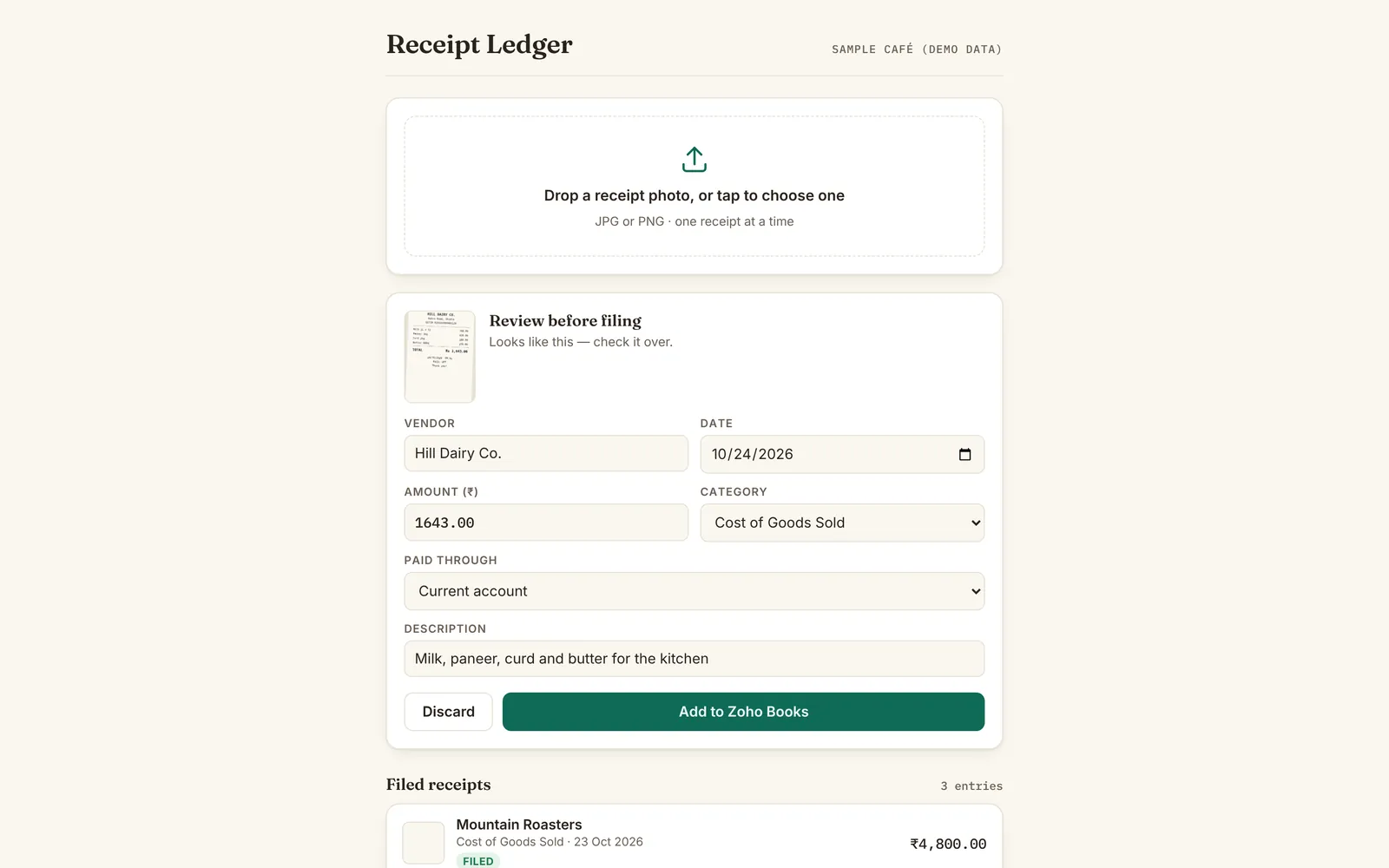
Receipt Ledger reads a photo of a receipt, fills in the vendor, date, amount and category, and files it into Zoho Books as an expense with the photo attached. Built for Tinmo’s bookkeeping.
- Zoho Books
- One receipt at a time
- Made for Tinmo’s
Screens show sample data.
Designed and built by Himanshu Khagta at Qurost
01
It reads, you check
Drop in a receipt photo and the fields are filled for you. Nothing is filed until you have looked it over and pressed the button.
- Vendor, date, amount, description
- Category from your own chart of accounts
- Paid-through account to choose
How it works
Three steps.
- 1
Snap
Take or choose a receipt photo.
- 2
Check
Correct anything it read wrongly.
- 3
File
It goes into Zoho Books with the photo.
Good to know
- Works with
- Zoho Books
- Attaches
- The receipt photo
- Keeps
- A list of filed receipts
- Access
- Tinmo’s team