
10 · Create
Qurost RoomworkOur studio and card shop, planned to the millimetre.
Roomwork is the private workspace where we lay out our own creative studio and card and gift shop: floor plans, wall elevations, 3D views, working clearances and storage labels, saved to our server. Spaces is the version we set up for other people.
- Saved to the server
- Private workspace
- Demo with example rooms
Designed and built by Himanshu Khagta at Qurost
01
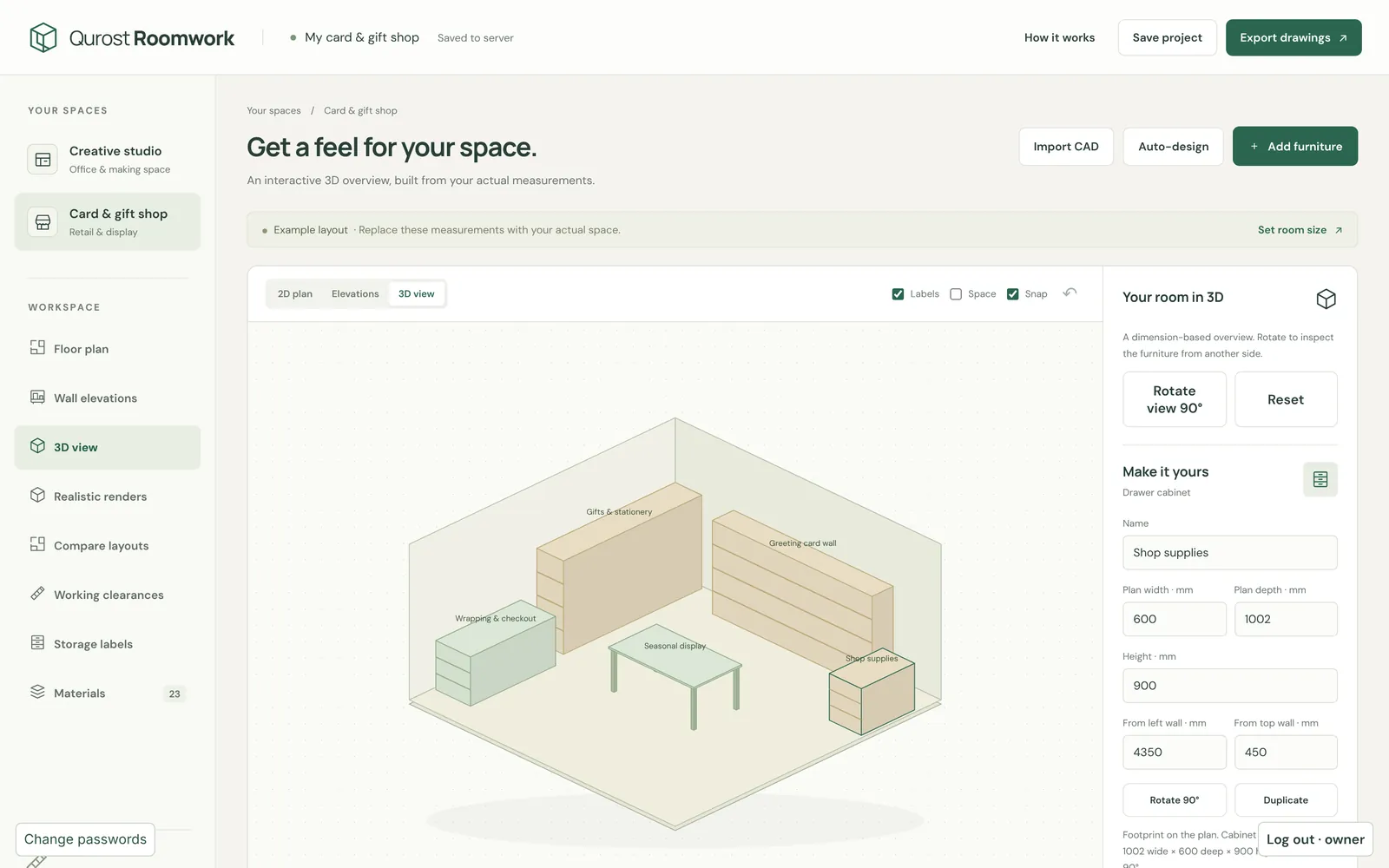
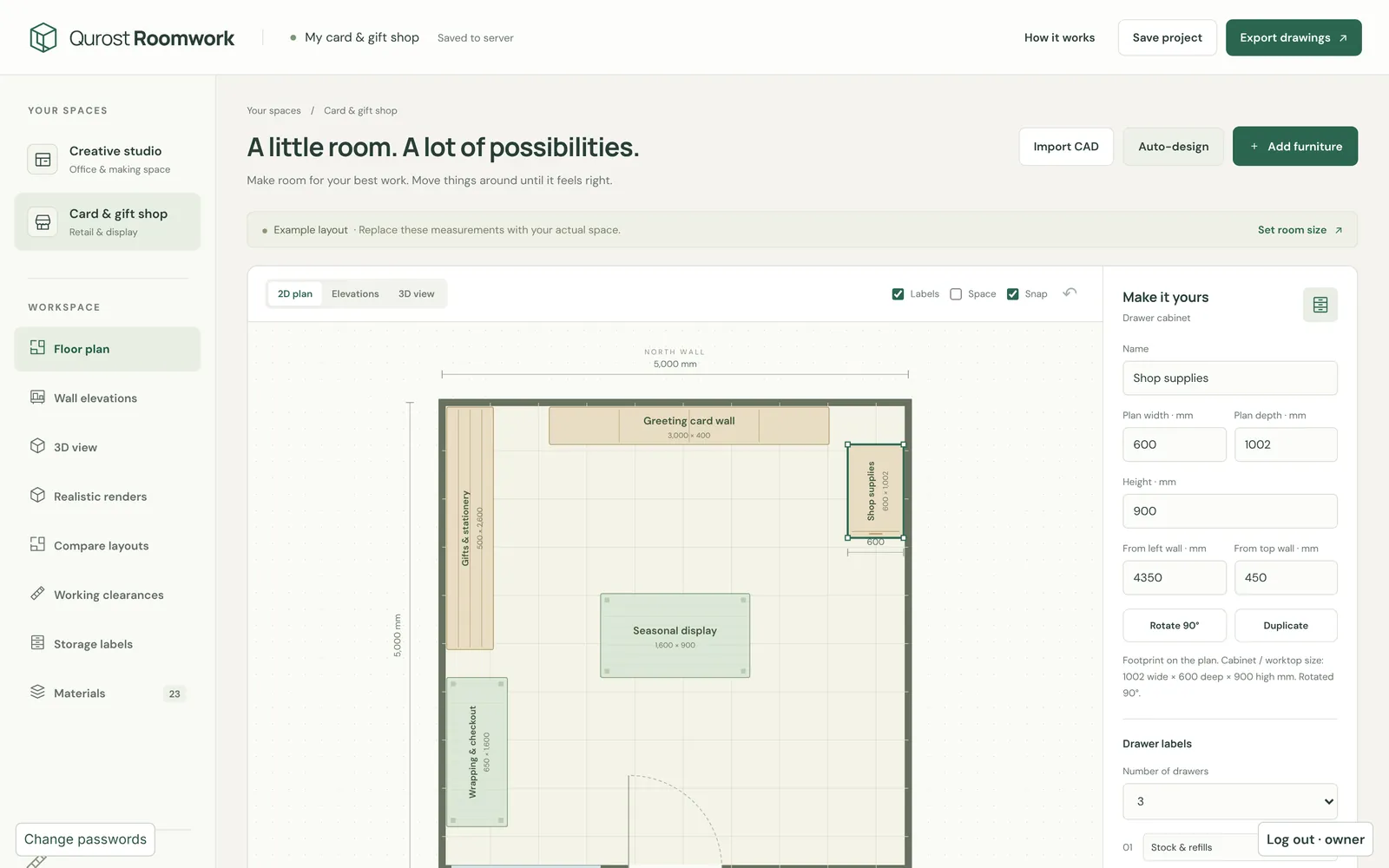
Plans with working clearances
Every piece has its real size, and the plan shows the space you need to stand, open a drawer or pass by.
- Snap and labels
- Compare layouts
- Auto-design and example layouts
02
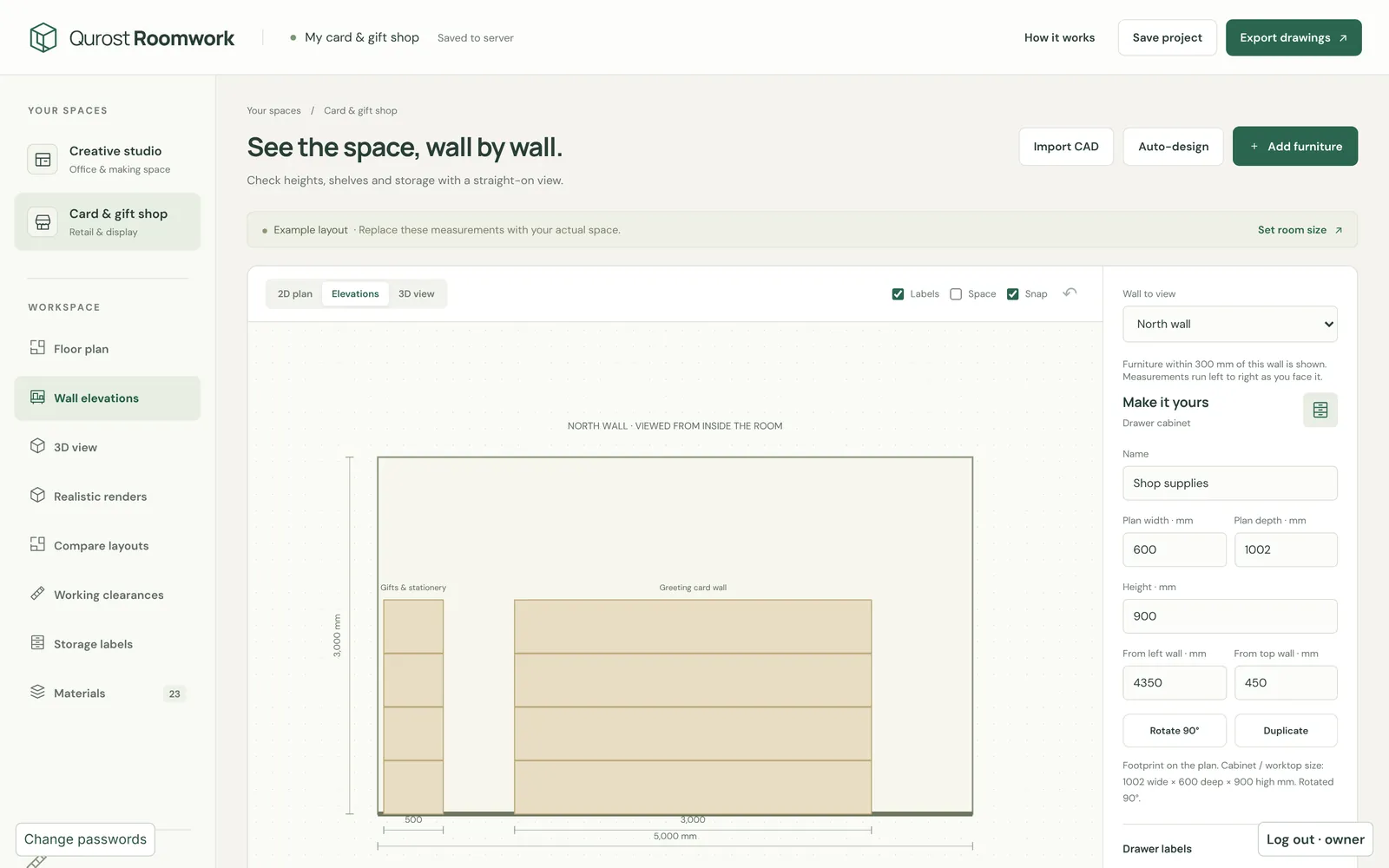
Walls, seen straight on
Elevations show each wall with its shelves, boards and fittings, measured, for whoever is building it.
- North, east, south and west walls
- Heights in mm
- Export drawings
03
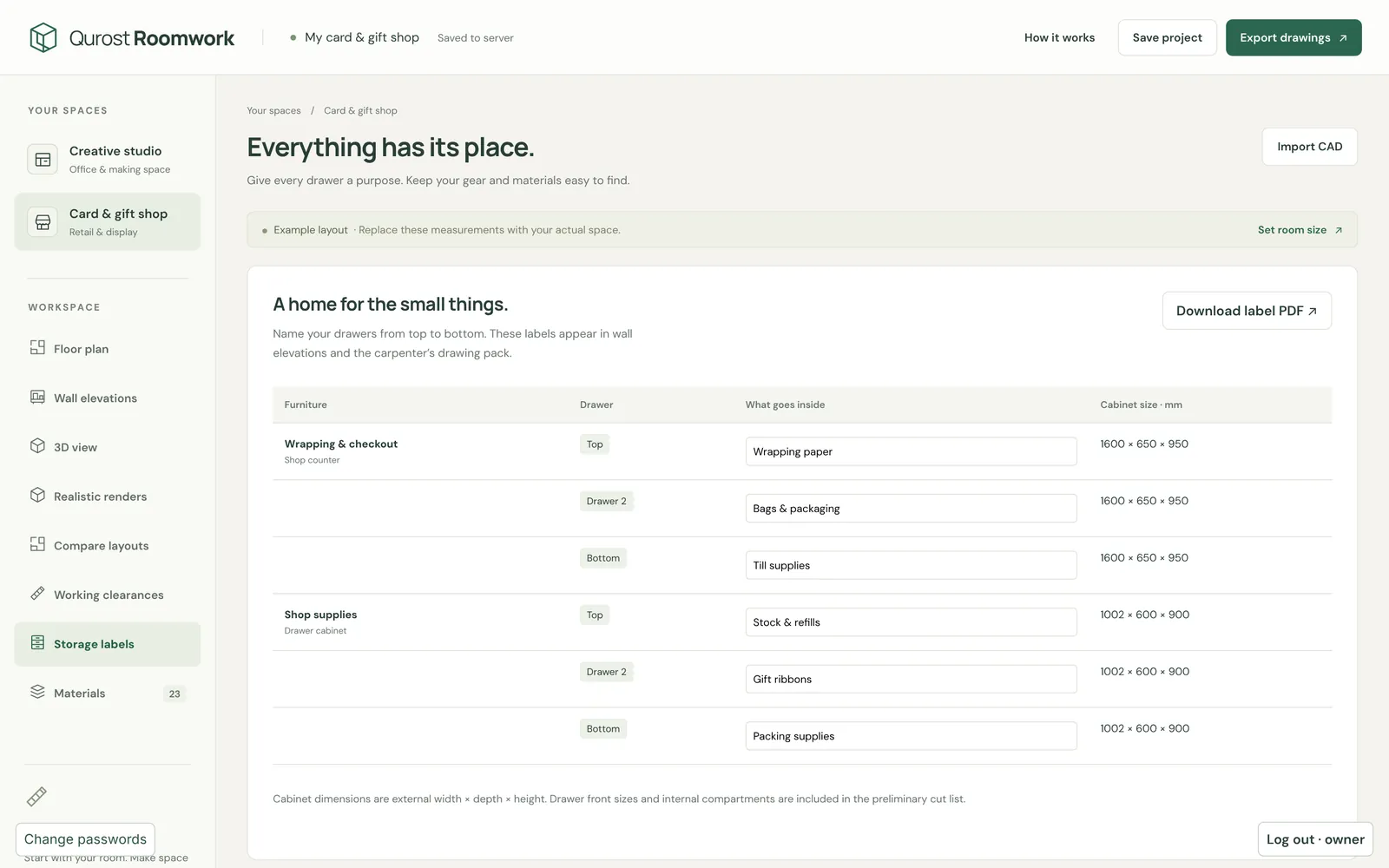
A place for everything
Storage labels list every drawer and its contents, ready to print, so finding things in the studio stays easy.
- Labels for every unit
- 3D view and renders
- Materials list
How it works
Three steps.
- 1
Set the room
Measurements from the real space.
- 2
Arrange and check
Move pieces until it feels right.
- 3
Export drawings
Plans, elevations and labels.
Good to know
- Spaces
- Creative studio · card and gift shop
- Saves
- To the server, with backups
- Public version
- Qurost Spaces
- Access
- Private